Schwab
A bold concept was already locked. I came in late to make sure it actually worked for the people who’d use it.
Rosetta had three days left before its Charles Schwab pitch. The Smart Square concept was already set, and I joined to work through how it would behave for someone using the site.
The concept was set. How would it work?
The Smart Square concept was already set. I looked at it from the point of view of someone trying to use Schwab’s site: what would happen when they opened the square, moved between pages, or needed to find something specific?
The Smart Square.
The idea was a single, strong visual metaphor: a square on the screen represented a distinct area of your financial life, and it expanded to reveal how Schwab could help you there. Tap it and it grew into a panel of contextual content. The layout reorganized around it. The concept was locked before I arrived. It was mine to make work, not mine to overturn.
A repeatable pattern, not a gimmick bolted on every screen.
Because the metaphor was fixed, my real problem was integration: how to use one expressive interaction consistently across everything Schwab asked the pitch to cover, without it feeling like a flourish. I worked it the way I work when time is short, on paper, fast, in variations, then quick animations to show how the square actually moved.
I explored the square’s behavior two ways, then mapped the winning pattern as a system across the pages Schwab cared about.
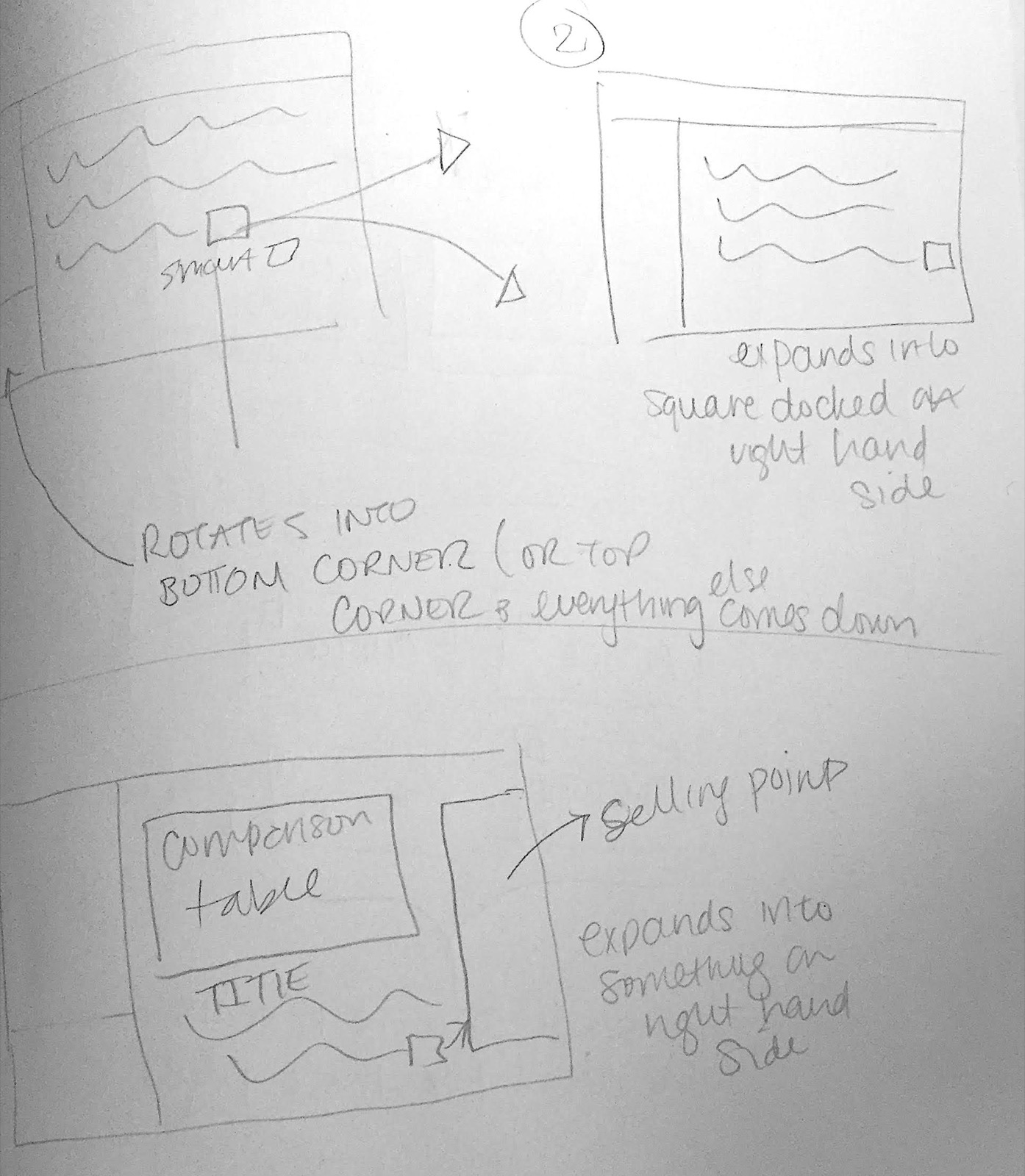
Expand & dock
The square grows and docks to the right as a persistent panel, holding context in place while you work.
Rotate into a corner
The square rotates into a corner and content flows down beneath it, freeing the page to breathe.
The square is a promise: we meet you where you are.
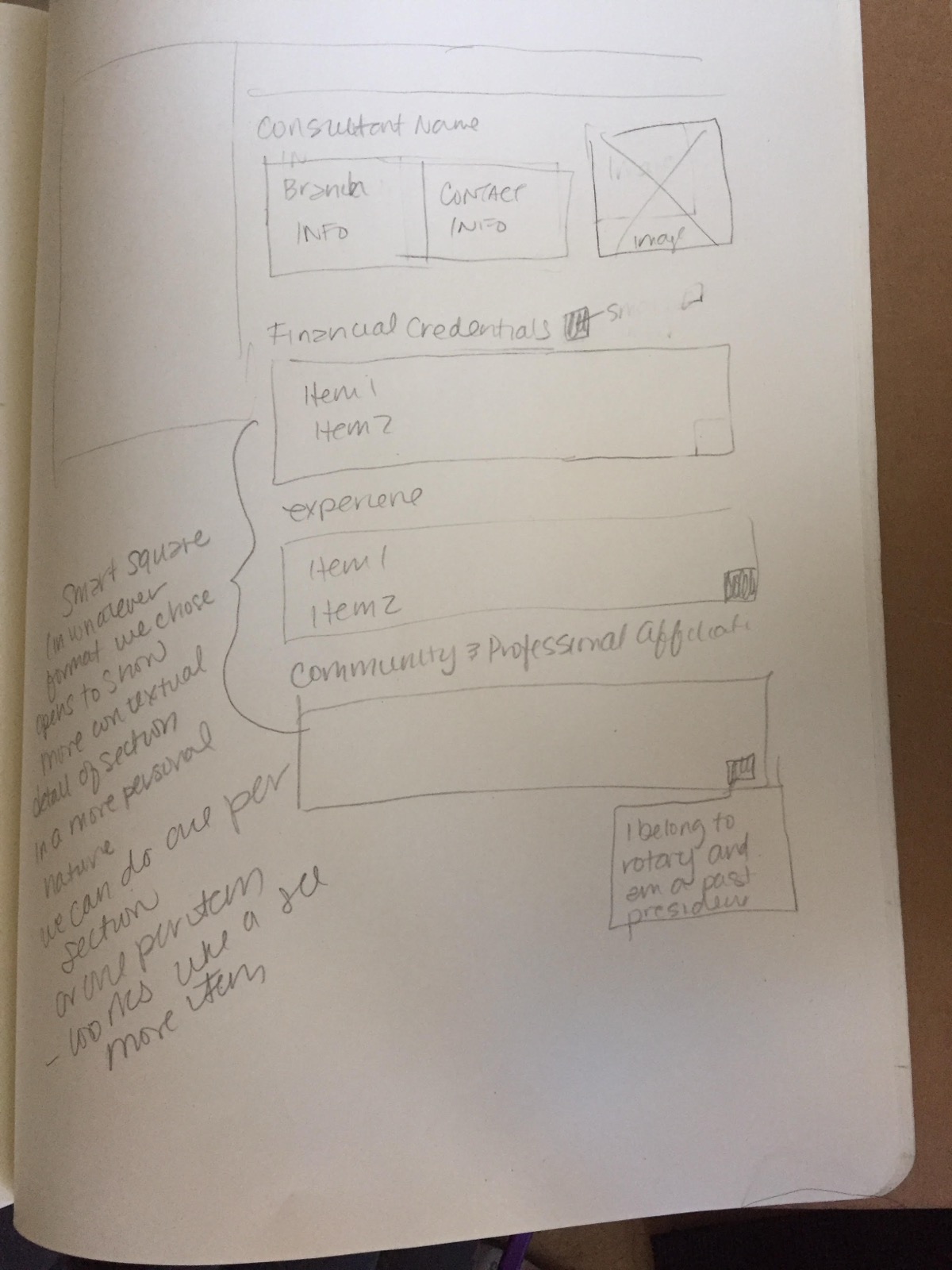
On a consultant profile, I sketched the square revealing contextual detail per section, branch and contact info, financial credentials, experience, community and professional affiliations, so the reveal felt personal. “I belong to Rotary and am a past president” reads very differently from a bulleted stat block. The through-line I fought for: the square is a promise that Schwab shows you exactly what’s relevant, section by section, not decoration.
Which hills are worth dying on when you have no time to rebuild.
I joined a project so far along that if I saw something I didn’t like, I often couldn’t ask the team to go back, the clock wouldn’t allow it. So I made a rule: I only fought for changes that were genuinely problematic from a usability standpoint. Real usability risk? I pushed. Something that merely bugged me (a preference, a nicety) even when it bugged me a lot, I let it go. That triage was the actual job.
I had three days to work through how the Smart Square would behave.
I sketched two ways the square could move, worked through the pattern across the pages in the pitch, and pushed on the usability problems the team still had time to fix.
Scope: interaction sketches and usability review for Rosetta’s pitch.